Conwy Valley Systems Limited,
West Acre, Llys Helyg, Deganwy
CONWY LL31 9BN, United Kingdom.
VAT# GB 741 5190 48
A Geoscience Wales founding member.
PETROG includes patent protected technology.
PETROG Virtual Keyboard
The PETROG Virtual Keyboard (PVK) works with both PETROG and PetrogLite. It allows you to put your ticklists onto another device such as a touchscreen tablet.
The PVK app communicates with PetrogLite via a mechanism known as “application tethering”. This requires connectivity between the PC on which PetrogLite is running (the source device), and the device on which the PVK app is running (the destination device). PetrogLite6 supports both Wi-fi and Bluetooth connections.
For Wi-fi, both the source device and the destination device need to be connected to the internet via the same sub-network.
For a Bluetooth connection, Bluetooth must be enabled on both devices. You also need to have the two Bluetooth devices paired before you can establish the connection.
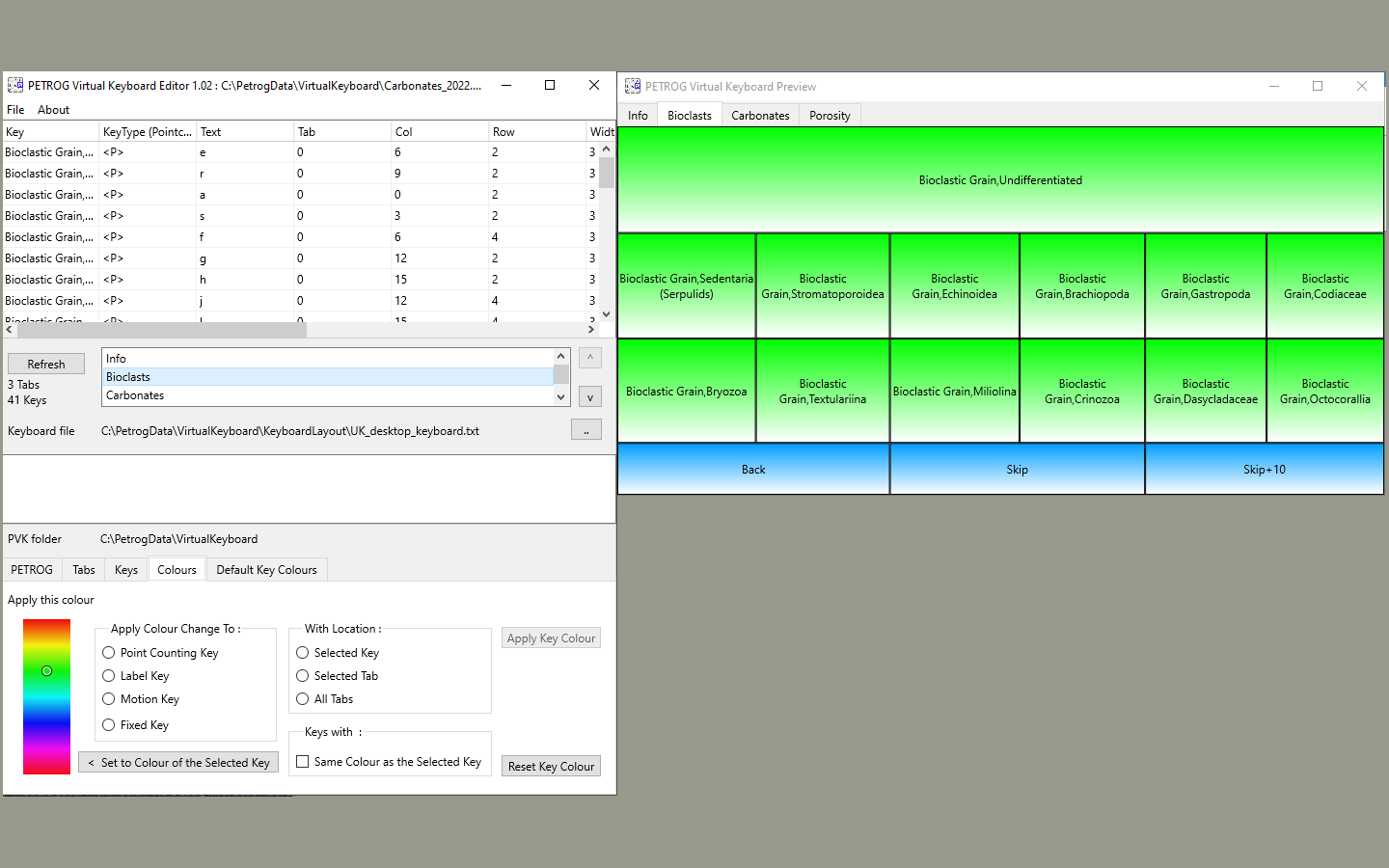
There is a PVK editor which allows you to create your own custom virtual keyboard layouts. You can import existing tick-lists, create your own layout from scratch, upload pre-existing virtual keyboards or modify an existing virtual keyboard.
A keyboard can be created specifically for a project, so that you can group your most frequent keys together, make popular keys larger, group keys with selected colour schemes.
The virtual keyboard does not replace the existing data entry interface, but compliments it.
In order to check you have selected the correct key, the data entry is confirmed visually and optionally by sound, the PVK will read the key entry back to you, to confirm entry.
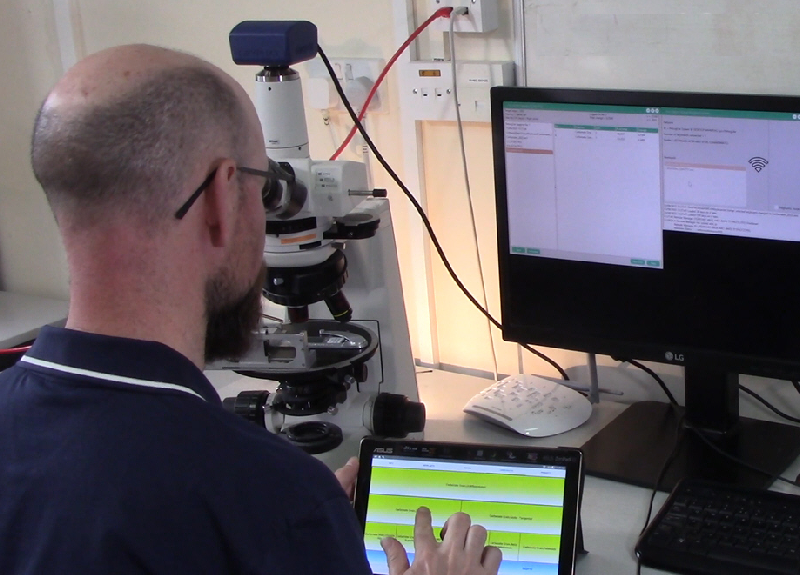
In testing, users have reported that it reduces eye strain because you can place the keyboard where you wish, and do not have to keep adjusting between the microscope image or eyepiece and the PETROG / PetrogLite input screen.
PVK in use :
PVK is an optional extra and requires a modification to your licence key. If you have not got the option to use PVK then please contact us
For optimum use we recommend that the device running PVK has a touchscreen facility, although it can be used with a mouse or similar pointing device.
Android: we recommend an Android tablet running Android 15 or later. It may work on some earlier versions, but it does vary depending on the manufacturer.
Windows: PVK will work on a Windows 11 tablet, or can be used on a Windows 11 desktop PC with a touchscreen monitor (this can be the same desktop PC that is running PETROG/PetrogLite, or a separate PC).
Apple : due to development restrictions out of our control, this application is not available on Apple devices.
Regardless of the device / operating system on which PVK is running, a successful connection to PETROG/PetrogLite is dependent on the following:
For Wi-fi, both devices must be connected to the internet via the same subnet (i.e. the IP address for both devices must match exactly to the first three octets);
For Bluetooth, both devices must support Bluetooth (for the desktop PC running PETROG/PetrogLite, a USB Bluetooth adapter can be used if the device does not have Bluetooth support integrated internally) and Bluetooth must be activated on both devices, and also permission for the devices to communicate with each other must also be established.





 Click here to download a PETROG Virtual Keyboard (PVK ) brochure